
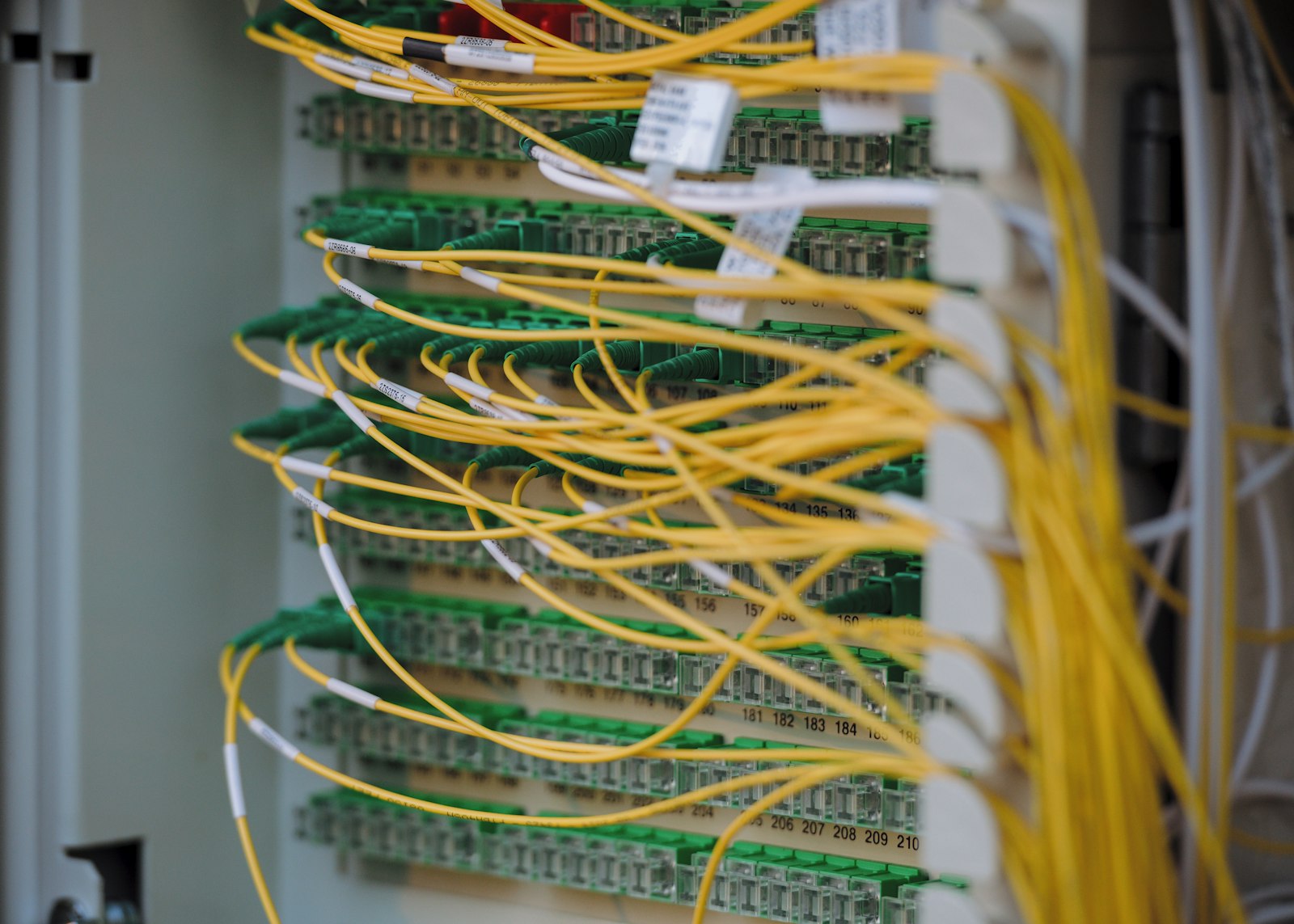
Two parts of the validation estate get neglected for the same reason: they sit at the edges of the application a project team cares about. The team validates the LIMS or the MES, signs the report, and moves on. Underneath that application is a stack of servers, operating systems, hypervisors, switches, and a time source. Nobody on the project owns it, so it gets a hand-wave. Beside that application, an analyst quietly maintains an Excel workbook that converts raw instrument readings into a release decision. Nobody calls it a “system,” so it never enters the validation inventory at all.
Inspectors find both gaps. A 483 observation about a spreadsheet with unlocked cells and no audit trail is one of the most common data-integrity citations in the GMP world, and infrastructure findings (unpatched servers, no time synchronization, undocumented virtual machine migrations) show up whenever an investigator pulls the thread on a “qualified” application and asks what it runs on.
This article covers both. The first half is IT infrastructure qualification: what the platform layer is, how GAMP 5 treats it, and what a defensible qualification package contains. The second half is end-user computing, specifically spreadsheets doing GxP math, with concrete controls for locking, formula verification, and access. The two belong together because they share a root cause and a fix: bring the thing into your inventory, assess its risk, and apply controls proportionate to that risk. The guidance applies across pharma, biotech, medical devices, and any other life-sciences operation running computerized systems under GxP.
What “infrastructure” actually means
In GAMP 5 terms, infrastructure is everything that supports an application but is not the application itself. ISPE’s GAMP 5 (Second Edition, 2022) and its companion IT Infrastructure Control and Compliance Good Practice Guide draw the line cleanly: an application is software written or configured to perform a regulated business process; infrastructure is the generic platform that hosts it. The platform layer typically includes:
- Physical and virtual servers, the compute hosting databases, application services, and middleware.
- Operating systems, Windows Server, Linux distributions, and their patch levels.
- Virtualization and hypervisors, VMware vSphere, Microsoft Hyper-V, or equivalent, plus the management plane that moves and clones guests.
- Storage, SAN/NAS arrays, RAID configurations, the file systems holding GxP records.
- Network, switches, routers, firewalls, VLAN segmentation, load balancers, VPN endpoints.
- Directory and authentication services, Active Directory / LDAP, the source of truth for user identity that Part 11 access controls depend on.
- Time synchronization, NTP/PTP sources that timestamp every audit trail entry across the estate.
- Backup and infrastructure monitoring, the agents and jobs that protect and watch the platform.
GAMP 5 deliberately treats infrastructure as a category you qualify, not validate. Validation proves an application does what the regulated process needs. Qualification proves the platform is installed correctly, configured to a controlled baseline, and operating within specification. The platform has no GxP intended use of its own; it inherits GxP relevance from the applications it hosts. So the qualification effort scales to how the platform is used, not to a generic checklist. In GAMP 5 software categories, most infrastructure software is Category 1 (infrastructure software): established operating systems, database engines, antivirus, and middleware whose presence and version you verify rather than functionally challenge. You do not re-test that Windows Server schedules threads correctly; you confirm the approved version is installed, configured to baseline, and kept under control.
Why does the distinction matter to an inspector? Because EU GMP Annex 11 (“Computerised Systems”) opens by stating that the application should be validated and the IT infrastructure should be qualified. It names both, separately, in its principle. If your application validation file is immaculate but you cannot show the server underneath it was qualified, you have satisfied half of what Annex 11 asks for. The same logic flows from FDA’s predicate-rule expectations in 21 CFR Part 211 and 21 CFR Part 11: records and signatures must be trustworthy, and a record cannot be trustworthy if the platform recording it is uncontrolled.
Roles and responsibilities
Infrastructure qualification fails most often as an ownership problem, so name the owners up front.
| Role | Responsibility on the platform layer |
|---|---|
| System owner / IT platform owner | Owns the platform, its qualified state, the inventory entry, and the budget for maintenance. |
| Infrastructure / build engineer | Executes the build to the baseline, runs IQ, captures evidence. |
| Quality Assurance | Approves qualification protocols and reports, owns the risk classification rationale, releases the qualified state. |
| Process / application owner | Defines GxP relevance (which applications run here and what they need from the platform). |
| Change control board | Assesses and approves every change that touches a GxP-relevant component. |
| Validation lead | Confirms deliverables meet the validation plan and that traceability holds. |
Qualifying the platform: a working approach
Infrastructure qualification borrows the V-model but applies it once to a platform, then lets many applications inherit that qualified status. The deliverables look familiar but the scope is the data center, not the app. See the GAMP 5 CSV framework and equipment qualification lifecycle for the lifecycle shape this borrows from.
1. Inventory and classification
You cannot qualify what you have not listed. Build and maintain a configuration inventory of every infrastructure component with GxP relevance: hostname, role, OS and version, physical/virtual, location, owning team, and the GxP applications it supports. This inventory is itself a controlled record. Inspectors will ask for it, and they will spot the server that hosts a GMP database but is missing from the list.
A workable inventory row looks like this:
| Field | Example entry |
|---|---|
| Hostname | APPDB-PRD-04 |
| Role | Production database server |
| Physical/virtual | Virtual (guest on HV-CLUSTER-A) |
| OS / version / build | Windows Server 2022, build 20348, patch baseline 2026-05 |
| GxP applications supported | LIMS (production), stability database |
| GxP impact classification | High (holds GMP release-decision records) |
| Owner | IT Platform Services |
| Qualification status / date | Qualified 2025-11-12, periodic review due 2026-11 |
| Change-control reference | CC-2025-0481 |
Classify each component for GxP impact. A jump host used only by IT admins is lower risk than the database server holding batch records; a development sandbox with no GxP data may be out of scope entirely. Document the rationale. GAMP 5’s risk-based message is that effort follows impact. Over-qualifying a non-GxP DNS server wastes the budget you should spend on the production database tier. The classification decision and its justification are the part an inspector reads first, because they reveal whether you thought or just templated.
2. Installation Qualification (IQ)
IQ confirms components are installed and configured per a defined, controlled baseline. For a server build, that means verifying:
- Hardware or virtual hardware matches the specification (CPU, RAM, disk allocation).
- OS version, build, and patch level match the approved baseline image.
- Required services, agents (antivirus, backup, monitoring), and dependencies are present and at approved versions.
- Network configuration, IP, subnet, gateway, DNS, firewall rules, VLAN, matches design.
- Time synchronization is configured to the approved NTP/PTP source.
- The build was performed by an authorized person against a documented procedure.
A worked IQ verification line reads like an executable test, not a wish:
| Step | Verification | Acceptance criterion | Result / evidence |
|---|---|---|---|
| 3.2 | Confirm OS build via winver / Get-ComputerInfo | Build = 20348, baseline 2026-05 | Build 20348, screenshot IQ-A12 |
| 3.5 | Confirm NTP source via w32tm /query /source | Source = approved time server (traceable) | Matches, screenshot IQ-A15 |
| 4.1 | Confirm backup agent installed and version | Agent v9.x, registered to backup server | Pass, console export IQ-A19 |
A mature shop builds servers from a hardened, version-controlled gold image and qualifies the image, then verifies each instance conforms to it. That turns IQ from a 200-line manual checklist into a controlled deployment plus a conformance check, faster and far more reproducible. The qualified image becomes the baseline; configuration management then watches for drift away from it.
Acceptance criteria for IQ: every component matches the approved specification and baseline, every required service is present at the approved version, deviations are documented and dispositioned, and the evidence (screenshots, command output, console exports) is attributable and reproducible. “Looks installed” is not acceptance; the captured output is.
3. Operational Qualification (OQ)
OQ challenges the platform’s controlling functions. For infrastructure, the meaningful tests are the cross-cutting services that every hosted application relies on:
- Authentication and access control, directory integration works, account lockout and password policy enforce as configured, privileged access is restricted.
- Backup and restore, a backup completes, and critically, a restore succeeds and the restored data is verified. Untested backups are not backups.
- High availability / failover, if the design promises clustering or hypervisor failover, demonstrate a node failing over without data loss.
- Time synchronization, clocks across servers agree within tolerance and track the reference source; drift is detected and corrected.
- Monitoring and alerting, capacity, availability, and security events generate the alerts the design claims.
- Network controls, segmentation and firewall rules block what they should and pass what they should.
A worked OQ test for the backup-and-restore function:
Test OQ-07, restore verification. Restore the prior night’s backup of the stability database to an isolated recovery target. Acceptance: restore completes without error; row count and a defined checksum of the restored dataset match the source; a designated set of records is verified field-by-field against the original. Result: restore completed in 47 minutes; checksum match; 25/25 sampled records verified identical. Evidence: restore log OQ-07-L1, comparison sheet OQ-07-S1.
Note what infrastructure OQ does not do: it does not test the LIMS calculation or the MES recipe logic. Those are application concerns, qualified in the application’s own OQ/PQ. Infrastructure OQ proves the platform behaves, so the application above it can rely on a known-good foundation. For the application side, see LIMS implementation and validation and GxP manufacturing systems.
4. Ongoing control, qualification is not a one-time event
The single most common infrastructure failure is treating qualification as a project that ends. It does not. The platform changes constantly: patches, OS upgrades, capacity adds, VM migrations, firewall changes. What holds the qualified state together is operational process, not a binder. Inspectors assess these living controls more than the original IQ:
| Control | What it must do |
|---|---|
| Change management | Every infrastructure change to a GxP-relevant component is assessed for impact, approved, and recorded before implementation. |
| Patch and vulnerability management | Security patches are evaluated, tested, and deployed on a defined cadence; emergency patches follow an expedited but documented path. |
| Configuration management | A controlled baseline exists, drift is detected, and unauthorized changes are flagged. |
| Periodic review | Components are reviewed at a defined interval to confirm they remain in a qualified state. |
| Backup verification | Restores are tested on a schedule, not assumed. |
| Disaster recovery | DR plans are documented and exercised, not theoretical. |
This is where GAMP 5 Second Edition’s emphasis on a working quality management system and ongoing operational control earns its keep. A perfectly executed IQ from three years ago means little if the server has been patched fourteen times since under no change control. For the mechanics of these controls, see change control for validated systems, IT change and configuration management in GxP, backup, restore and disaster recovery validation, and requalification and periodic review.
Time synchronization, small component, outsized consequence
Time deserves its own paragraph because it is cheap to get right and catastrophic to get wrong. Every audit trail, every electronic signature timestamp, every sequence-of-events reconstruction depends on accurate, synchronized, traceable time. If two servers disagree by minutes, you cannot reliably reconstruct what happened first during an investigation, and reconstructing sequence is exactly what investigations need. Annex 11 expects accurate date/time stamps on audit trails; 21 CFR Part 11 expects time-stamped audit trails that record the date and time of operator actions. Both implode if the clock is wrong or freely settable by users.
Practical controls: point all GxP servers at a controlled, traceable NTP/PTP source (ideally one ultimately traceable to a national standard); restrict the ability to change system time to authorized administrators; monitor for drift; and document the configuration in IQ. A frequent finding is that audit-trail timestamps come from the client workstation clock rather than a synchronized server, letting a user backdate an entry by changing their PC’s time. Confirm where the timestamp originates and lock down whatever sets it. For the full treatment, see time stamps and system clock control.
Virtualization, what inspectors probe
Virtualization is standard and entirely acceptable, but it introduces moves that did not exist with physical hardware: a guest can be cloned, snapshotted, migrated to a different host, or rolled back. Each is a change. Questions worth pre-answering:
- Are VM migrations (e.g., vMotion / live migration) controlled, or can a host move a GxP guest with no record?
- Are snapshots used in production? A snapshot rollback can silently revert records; that is a data-integrity event, not a routine ops action.
- Is the hypervisor host itself in your qualified inventory and change control?
- Is the management plane access-controlled and audited?
The platform’s flexibility is a feature for IT and a risk for GxP. Qualification has to make that flexibility visible and governed. Treat the hypervisor management console as a privileged-access surface: who can clone, snapshot, or migrate a production GxP guest is exactly the population that can move data outside your controls.
Cloud and hosted infrastructure
More platforms now sit on infrastructure-as-a-service or hosted data centers rather than racks you own. The qualification obligation does not move with the hardware. You qualify what you control (the OS, the application, the configuration, the access model) and you obtain assurance for what the provider controls (the physical layer, the hypervisor they manage, their change and security processes) through a supplier assessment and the provider’s audited reports. The shared-responsibility model has to be written down so that no control falls in the gap between you and the provider. See cloud and SaaS validation and software supplier assessment for how to draw and evidence that line.
Where the line falls depends on the service model. The three-way split most people mean by infrastructure, platform, and software as a service comes from NIST Special Publication 800-145, which is also where the shared-responsibility idea is rooted. The higher up the stack you buy, the more the provider owns and the more of your assurance comes from their audited reports rather than your own qualification. What never transfers is the intended-use decision and the data: those stay yours in every model.
| Layer | On-premises (you own) | IaaS (compute/storage from a provider) | PaaS (managed OS/runtime/database) | SaaS (application delivered as a service) |
|---|---|---|---|---|
| Physical facility, hardware | You | Provider | Provider | Provider |
| Hypervisor / virtualization | You | Provider | Provider | Provider |
| Operating system, patching | You | You | Provider | Provider |
| Runtime, database engine | You | You | Provider | Provider |
| Application configuration | You | You | You | You (configuration only) |
| Access control, user roles | You | You | You | You |
| Data, intended-use decision, GxP records | You | You | You | You |
| Your assurance for the provider’s layers | n/a | Supplier assessment + audited reports (for example SOC 2, ISO 27001) | Supplier assessment + audited reports | Supplier assessment + audited reports + configuration validation |
Read the table as a division of labor, not a division of accountability. The regulator still holds you responsible for the trustworthiness of the record, so the cells the provider owns need real assurance (a supplier assessment, the provider’s current audited reports, and a written statement of who does what), not a shrug. A frequent gap: a control that both sides assume the other owns, such as who runs and evidences backup restore tests for a SaaS quality system. Write the shared-responsibility model down and reconcile it against the contract and the provider’s reports.
Least-burdensome assurance: the CSA connection
Both halves of this estate are places where teams historically over-documented low-risk things and under-controlled high-risk ones. That is the exact pattern FDA’s Computer Software Assurance (CSA) approach was written to correct. The CSA guidance, finalized 24 September 2025 and revised 3 February 2026, tells you to set the type and amount of assurance activity from the software’s intended use and the risk it carries: unscripted or exploratory testing is acceptable for lower-risk function, and effort concentrates on features whose failure would affect product quality or a decision. Applied here, that means you do not write a 200-line scripted protocol to confirm a well-established operating system schedules threads (a Category 1 platform component you verify by presence and version), and you do not wave through the one workbook that computes a release value because it “looks fine.” Grade the assurance, record why, and put the effort where a failure would actually hurt. The infrastructure inventory classification and the spreadsheet risk grading are the same least-burdensome judgment applied to two different edges. See computer software assurance (FDA).
End-user computing: the spreadsheet problem
Now the other neglected edge. End-user computing (EUC) is any tool a non-developer builds to do regulated work, overwhelmingly, Excel spreadsheets. They proliferate because they are fast, familiar, and require no IT ticket. That is precisely why they escape validation: nobody filed them as a system.
A spreadsheet crosses into GxP scope the moment it produces or processes a record or decision that affects product quality, patient safety, or a regulatory submission. Examples that demand control: stability data trending and shelf-life calculation, assay result computation, dissolution profile math, environmental monitoring trend analysis, OOS investigation calculations, yield reconciliation, anything feeding a Certificate of Analysis or a batch disposition. In a biologics or cell-therapy operation the same logic catches a spreadsheet that computes a process-capability statistic, a titer, or a stability slope that supports a release decision.
The regulatory hook is unambiguous. A GMP-relevant spreadsheet performing calculations is a computerized system under Annex 11 and is subject to the predicate-rule requirements that 21 CFR Part 11 implements. FDA’s guidance on data integrity and cGMP compliance and the MHRA “GXP Data Integrity Guidance and Definitions” (2018) both call out spreadsheets explicitly as systems that must be validated, secured, and made attributable. The same ALCOA+ expectations (Attributable, Legible, Contemporaneous, Original, Accurate, plus Complete, Consistent, Enduring, Available) apply to a workbook as to a database. See ALCOA+ in detail and data integrity foundations.
Classify before you validate
Not every spreadsheet needs the same rigor. A simple, well-defined risk classification keeps effort proportionate, and it mirrors the GAMP 5 software categories: a transient calculator is a different animal from a macro-driven mini-application.
Run each workbook through the same two questions before you decide how much to do. The first question decides whether it is in scope at all; the second decides the rigor:
| Category | Description | Validation effort |
|---|---|---|
| Out of scope | No GxP data, no GxP decision (e.g., a meeting tracker) | None |
| Low risk | Simple, single-cell arithmetic; output independently checkable; no stored records | Lightweight verification, controlled template |
| Medium risk | Multi-step calculations, lookups, conditional logic; feeds a GxP record | Full lifecycle validation |
| High risk | Macros/VBA, complex logic, large datasets, multiple users, retains records | Full validation; strongly consider replacing with a proper validated application or database |
A genuinely defensible position for a high-risk, macro-driven workbook is often don’t. Excel is a poor place to keep regulated records and run complex automated logic with real access control and audit trails. If a spreadsheet has grown into a small application, the right answer is to migrate it to a tool built for the job and validate that, not to bolt validation onto a fragile workbook. See validating scripts and low-code analytics for the cousins of this problem.
The five things a validated spreadsheet needs
For a spreadsheet that legitimately stays in Excel, a defensible package covers five areas. The five together form the lifecycle: specify, verify, protect, control, govern the records.
1. A specification. Write down what the spreadsheet does before you test it: inputs, the exact calculations (the formulas, stated as equations), expected outputs, and acceptance criteria. Without a specification you have nothing to test against, and “it looks right” is not a result an inspector accepts.
A specification entry for a single calculated field is concrete:
Output: % Label Claim. Equation:
Result_% = (Sample_Response / Standard_Response) × (Standard_Conc / Sample_Conc) × Dilution × 100. Inputs: Sample_Response and Standard_Response are positive numerics from cells B4 and B5; Standard_Conc, Sample_Conc, Dilution are entered constants. Expected output: numeric, rounded to one decimal, range typically 90.0-110.0. Reject blank or non-numeric inputs. Divide-by-zero on Sample_Conc = 0 must error visibly, not return a number.
2. Formula verification, the heart of it. Every GxP formula must be proven correct independently of the spreadsheet itself. Two complementary methods:
- Independent recalculation. Compute the expected result by hand, by calculator, or in a separate validated tool, and confirm the spreadsheet matches across a deliberately chosen set of cases.
- Formula inspection. Read the actual cell formulas (display them with formula view /
FORMULATEXT, or print the formula map) and confirm each matches the specified equation, including cell references and operator precedence. A wrong range in aSUM, an off-by-one reference, or a missing parenthesis silently produces plausible-looking wrong numbers.
A worked verification table makes the evidence concrete:
| Case | Inputs | Hand-calculated expected | Spreadsheet result | Pass/Fail |
|---|---|---|---|---|
| Nominal | Resp 0.512 / 0.500, conc 10/10, dil 1 | 102.4 | 102.4 | Pass |
| Boundary low | Resp 0.450 / 0.500, conc 10/10, dil 1 | 90.0 | 90.0 | Pass |
| Blank input | Sample_Response blank | Visible error | #VALUE! shown, no number | Pass |
| Divide by zero | Sample_Conc = 0 | Visible error | #DIV/0! shown | Pass |
| Large dataset | 500 paired rows averaged | 98.7 (separate tool) | 98.7 | Pass |
Test data must include the cases that break things: zero, blank/empty cells, negatives where they shouldn’t occur, values at and just beyond expected boundaries, the maximum expected dataset size, and known divide-by-zero or error conditions. Blank cells deserve specific attention because their handling depends on the formula. Excel’s AVERAGE ignores a truly empty cell entirely (it counts neither in the numerator nor the denominator), so a missing reading that should have counted is silently dropped, shrinking the denominator and shifting the result; a cell that looks blank but actually holds 0 is counted, which biases the average toward zero. Direct arithmetic is different again: in =A1+A2 or a reference used as a term or divisor, an empty cell is treated as 0, which can produce a wrong sum or a divide-by-zero. Test each formula against blank inputs and confirm the spreadsheet either handles them correctly or refuses them visibly. A formula that returns a quietly wrong number for an empty cell is worse than one that errors loudly.
Acceptance criteria for formula verification: every specified formula is confirmed by both independent recalculation and inspection; all boundary, blank, and error cases behave as specified; and any rounding behavior matches the specification exactly (rounding at the wrong step changes results). If a single case fails, the verification fails until the formula is corrected and the affected cases re-run. See validation test failure management for how to document and disposition a failed case.
3. Locking and protection. This is the control inspectors check first, because it is the easiest to verify and the most often missing. The principle: a user may enter input data and may read results, but may never alter a formula, a constant, or the layout.
- Lock every cell containing a formula or fixed constant; open up only the designated data-entry cells.
- Apply worksheet and workbook protection so the locked cells cannot be edited, and so sheets cannot be inserted, deleted, hidden, or reordered.
- Protect the workbook structure to prevent renaming or moving sheets.
- Use data-validation rules on entry cells to constrain inputs to the expected type and range.
- Control the protection password under a real procedure, held by QA or a system owner, not taped to the analyst’s monitor. The password is a control, not a formality; if everyone knows it, protection is theater.
The failure mode is the “master” spreadsheet that gets copied for each use, where the copy has protection off and formulas freely editable. If the working copies aren’t locked, the master being locked proves nothing. Verify protection on the copy people actually use, not the pristine template in the controlled folder.
4. Access control and version management. A validated spreadsheet must be the controlled spreadsheet. Store the approved master read-only in a location with managed access, not on a shared drive anyone can overwrite, and not on a personal desktop. Restrict who can modify the master to authorized personnel via the file system or a document management system. Version-control it: each released version carries a unique identifier, and that identifier appears inside the spreadsheet (a header cell, ideally auto-displayed) so a printout proves which version produced a result. Maintain change control; a formula change is a change to a validated system and triggers re-verification of the affected calculations and a version increment. See document control fundamentals and data lifecycle and metadata.
5. Records, audit trail, and signatures. This is where spreadsheets are weakest and where you must be honest about Excel’s limits. If the spreadsheet retains GxP records (people save filled-in copies as the record), then Part 11 and Annex 11 expectations for audit trails, attributability, and record protection apply to those saved files, and native Excel does not provide a true, secure, unmodifiable audit trail of who changed what and when. Practical responses, in rough order of strength:
- Prefer transient use: the spreadsheet is a calculator only; the record of record lives in a validated system (LIMS/ELN) or is the printed, reviewed, signed output, with raw data retained separately. This sidesteps Excel’s audit-trail gap.
- If files are retained, store them in a system that supplies access control, versioning, and audit trail around the file (a validated document/content management system), and apply file-level protections.
- Where signatures are required, use a compliant electronic signature within a system that meets Part 11 signature controls, or a wet-ink signature on the reviewed printout, not an unprotected “signature” cell anyone can type into.
For the record-classification question (is the saved file the original, or is it a true copy of something else), see static and dynamic records and true copies and audit trail design and review.
Roles and responsibilities for spreadsheet validation
| Role | Responsibility |
|---|---|
| Builder / author | Drafts the specification, builds the workbook, runs initial checks. |
| Independent reviewer | Verifies formulas, locking, protection, and documentation; cannot be the builder. |
| QA | Approves the validation package and release, owns the controlled inventory entry. |
| System / process owner | Holds the protection password under procedure, authorizes changes. |
| End users | Use only the controlled version, enter data in designated cells, do not modify formulas or copy uncontrolled versions. |
Independent review and approval
Before release, someone other than the builder reviews and approves the validated spreadsheet, verifying the formulas, the locking, the protection, and the documentation. Builder-checks-own-work is a recurring root cause of escaped formula errors. Approval is documented, and the released version enters the controlled inventory.
Common mistakes and inspection-finding patterns
These recur across both halves of the estate. None require a company name to recognize.
- The unlisted system. A GMP database server, or a release-calculation spreadsheet, that is not on any controlled inventory. The absence of the entry is itself the finding, because an unmanaged system is uncontrolled by definition.
- Qualification as a one-time event. Clean IQ/OQ from three years ago, no evidence the qualified state survived the patches, migrations, and config changes since.
- Untested backups. A backup job runs nightly and is never restored. The first real restore attempt during an incident discovers the backups were unusable.
- Client-clock timestamps. Audit-trail times sourced from the user workstation, which the user can change, instead of a synchronized, controlled server.
- Uncontrolled VM operations. Snapshots rolled back in production, guests migrated with no record, hypervisor management open to too many people.
- The unlocked working copy. Master spreadsheet locked and approved; the copy analysts actually fill in has protection off and editable formulas.
- Blank-cell math. A formula averages a column that sometimes contains blanks; AVERAGE silently drops the empty cells from the denominator, so a missing reading shifts the result and a cell holding 0 instead counts. Never tested with empty inputs.
- Builder validates own workbook. No independent review, so a wrong cell reference ships and produces plausible wrong numbers for months.
- Email or shared-drive distribution. The “validated” spreadsheet exists in a dozen slightly different copies because it was emailed around; nobody can say which version produced a given result.
- Macro creep. A low-risk calculator grows VBA, lookups, and stored history until it is an unvalidated application that should have been a real system years ago.
What inspectors look for, a combined checklist
Whether the target is the platform layer or a workbook, investigators converge on the same questions. Walk in able to answer these:
- Is it in your inventory? Both the server and the spreadsheet must appear on a controlled list of GxP-relevant systems. An unlisted system signals an unmanaged one.
- What’s the risk assessment? Show the documented rationale for how much rigor each component received.
- Where’s the qualification/validation evidence? IQ/OQ for infrastructure; specification, formula verification, and protection evidence for the spreadsheet.
- How is the qualified/validated state maintained? Change control, patch management, periodic review, version control. A one-time effort with no maintenance is a finding waiting to happen.
- Are the timestamps trustworthy? Synchronized, traceable time on infrastructure; attributable, contemporaneous entries on spreadsheet records.
- Can a formula or configuration be silently altered? Demonstrate locking, protection, and access restriction actually prevent it, not in the master, in the copy people use.
- Who can change it, and is that change recorded? Privileged access on infrastructure; protection-password control and change records on spreadsheets.
- Can you restore it? Tested backups for the platform; the controlled master and prior versions for the spreadsheet.
Interview questions and how to answer them
These are the questions that come up in validation, data-integrity, and CSV interviews on this topic. Answer with the principle plus a concrete control.
Q: What is the difference between qualifying infrastructure and validating an application? Validation proves an application performs the regulated process correctly for its intended use; qualification proves the underlying platform is installed to a controlled baseline and operates within specification. Infrastructure has no intended GxP use of its own; it inherits relevance from the applications it hosts. Annex 11 names both obligations separately: validate the application, qualify the infrastructure.
Q: Why does a spreadsheet need validation at all? It is just Excel. Because the moment a spreadsheet produces or processes a record or decision affecting product quality, patient safety, or a submission, it is a computerized system under Annex 11 and within Part 11’s predicate-rule scope. ALCOA+ applies to a workbook the same as to a database. The tool being familiar does not exempt the output.
Q: How do you prove a spreadsheet formula is correct? Two methods together: independent recalculation across a deliberately chosen set of cases (nominal, boundary, blank, divide-by-zero, maximum dataset), and direct inspection of the actual cell formulas against the specified equations. One without the other misses errors; a formula that gives the right answer for nominal inputs can still be wrong at a boundary or with a blank cell.
Q: A spreadsheet has unlocked formula cells. Why is that a finding? Because any user can change the calculation, intentionally or by accident, with no record, which defeats accuracy and attributability. The control is to lock every formula and constant, open only data-entry cells, protect the sheet and workbook structure, and hold the protection password under procedure. And you verify it on the working copy, not the master.
Q: Your audit-trail timestamps look inconsistent. Where do they come from? The correct answer is a controlled, traceable server time source synchronized by NTP/PTP, with the ability to change system time restricted to administrators and drift monitored. A wrong answer (and a common finding) is the client workstation clock, which a user can change to backdate an entry.
Q: How do you handle a high-risk macro-driven workbook that retains records? Honestly: native Excel cannot provide a true secure audit trail of who changed what and when. The defensible move is usually to migrate it to a validated application or database built for the job, or at minimum to make it transient (calculator only) with the record of record in a validated system. Bolting partial controls onto a fragile macro workbook is the weak answer.
Q: How do you keep a qualified platform in a qualified state? Through living operational controls: change management on every GxP-relevant change, patch and vulnerability management on a defined cadence, configuration management with drift detection, periodic review, tested backups, and exercised disaster recovery. The original IQ is necessary but not sufficient; the qualified state is maintained, not achieved once.
Q: What about infrastructure you run in the cloud? The qualification obligation does not transfer to the provider. You qualify and control what you manage (OS, application, configuration, access) and obtain assurance for the provider’s layer through a supplier assessment and their audited reports, with a written shared-responsibility model so no control falls in the gap.
Pulling it together
Infrastructure qualification and spreadsheet validation feel like opposite ends of the IT estate, one is racks of enterprise hardware, the other a file on someone’s laptop. They fail for the same reason: they fall outside the application everyone agreed to validate, so no one owns them. And they pass for the same reason: you put them in an inventory, assess their GxP risk, apply controls proportionate to that risk, and keep those controls alive with change management and periodic review.
GAMP 5 gives the framework: risk-based, scalable effort, qualify the platform and validate the application. Annex 11 names both obligations in the same breath. Part 11 and the data-integrity guidances set the bar for the records each produces. None of it requires heroics. It requires that the server under your LIMS and the spreadsheet beside it stop being invisible. Bring them into the light, and most of the finding-generating failure modes disappear before an inspector ever asks.
For adjacent topics, see computer software assurance (FDA), CSV risk assessment methodology, CSV cybersecurity and access control, and the Part 11 / Annex 11 assessment guide.